 dxFeed
 Tradovate
 TradingView
 ProjectX
 Rithmic
 Volumetrica
 NinjaTrader
 Quantower
 ATAS
ATAS Sierra Chart
Start every session with a plan.
- Mark key levels on MNQ & ES
- Check the economic calendar
- Set max daily loss
- Wait for A+ setups only
Built for futures traders
Built into your trade copier. Hit sync, and every fill on every connected account is auto-logged in your journal. No typing. No spreadsheets. Just a clear view of where you win, and where you leak.
4.6/5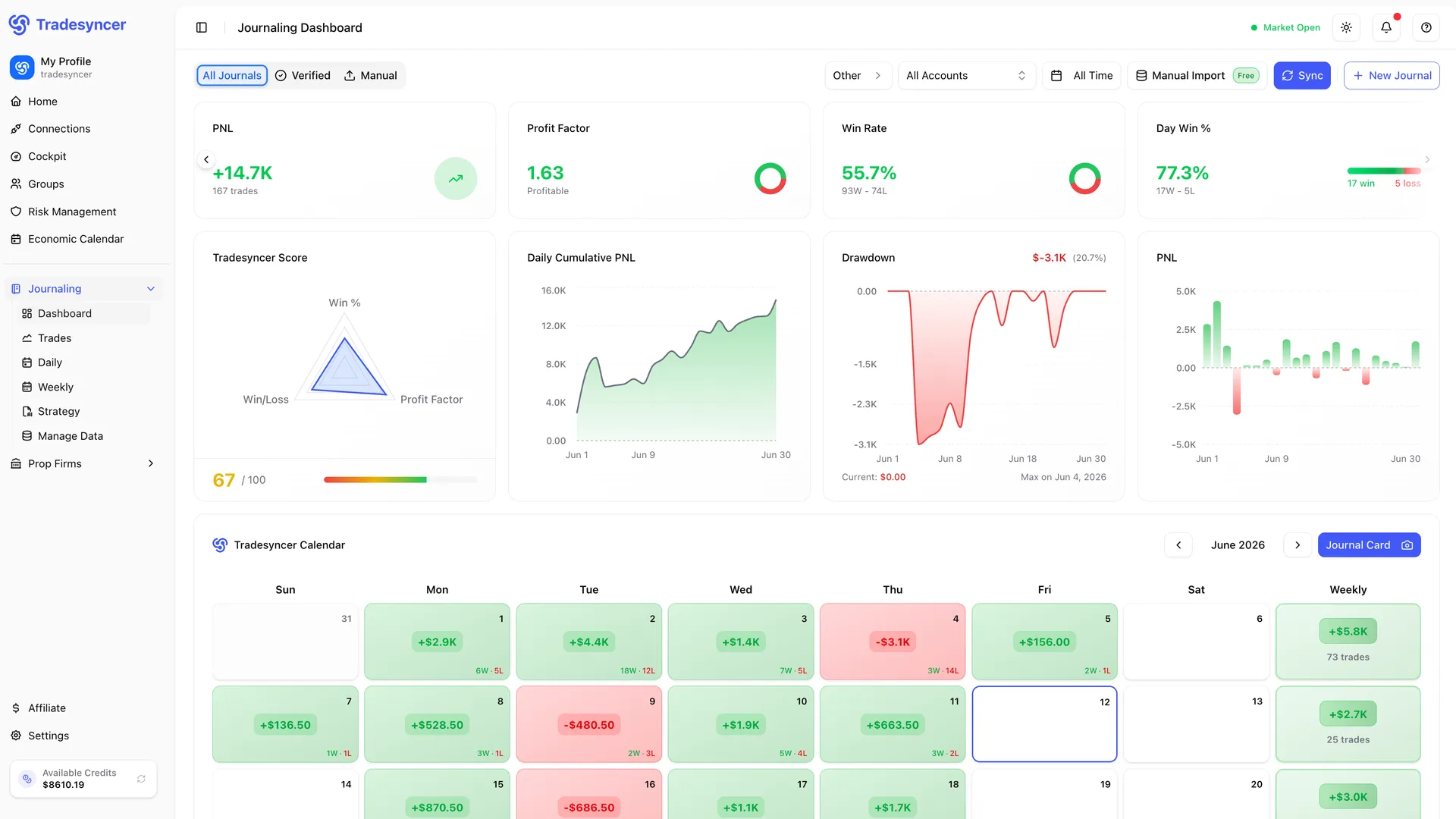
Connect your prop firm and live accounts once. From there, your futures trading journal pulls every fill automatically. No exports. No CSVs.
Manual journaling is a grind, so most traders skip it. That means no data, no patterns, no advantage. Tradesyncer removes the work. Hit sync and every trade across every account is in your journal. Size, price, P&L, R-multiple, drawdown, session, all in one clear dashboard.
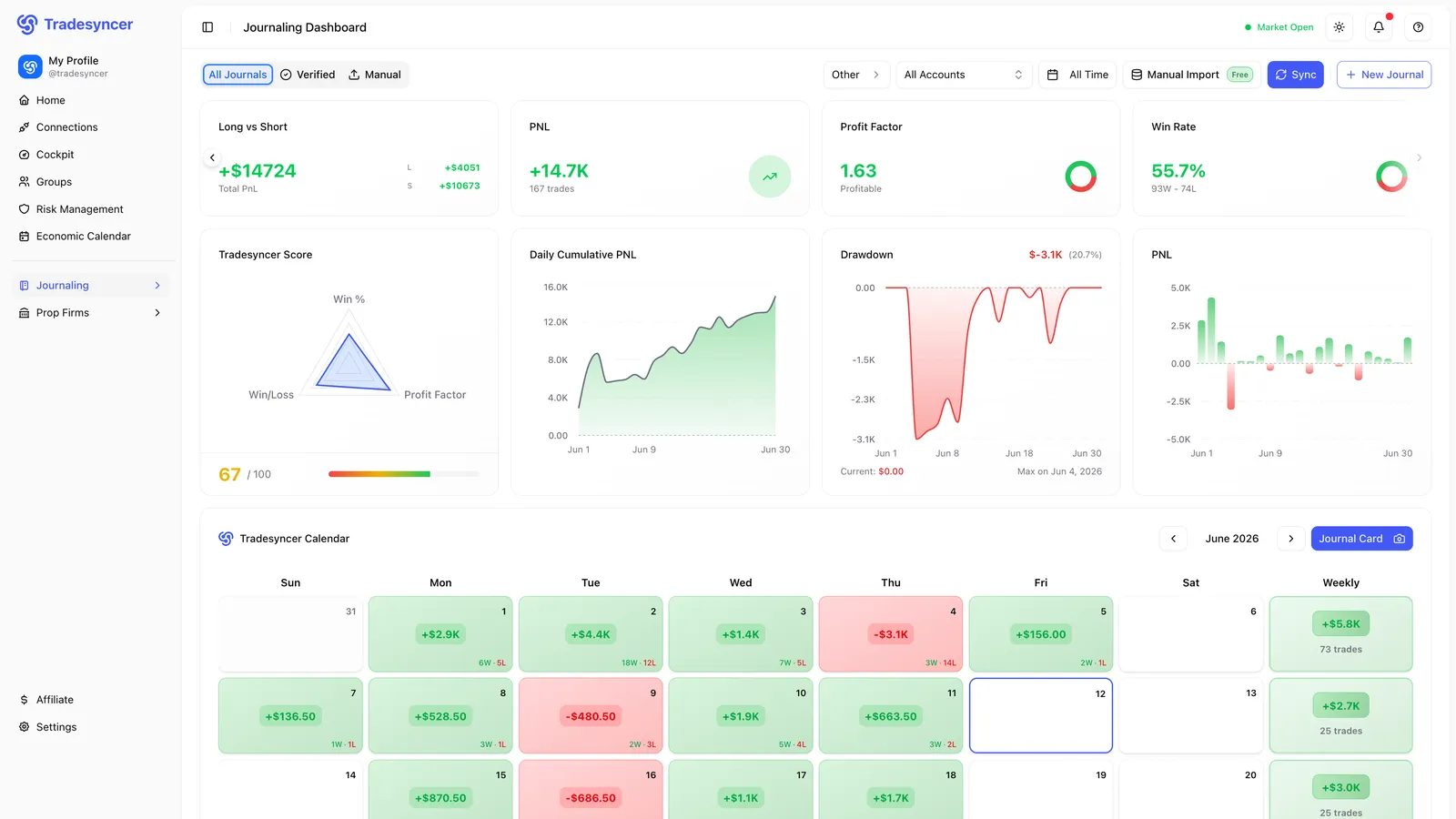
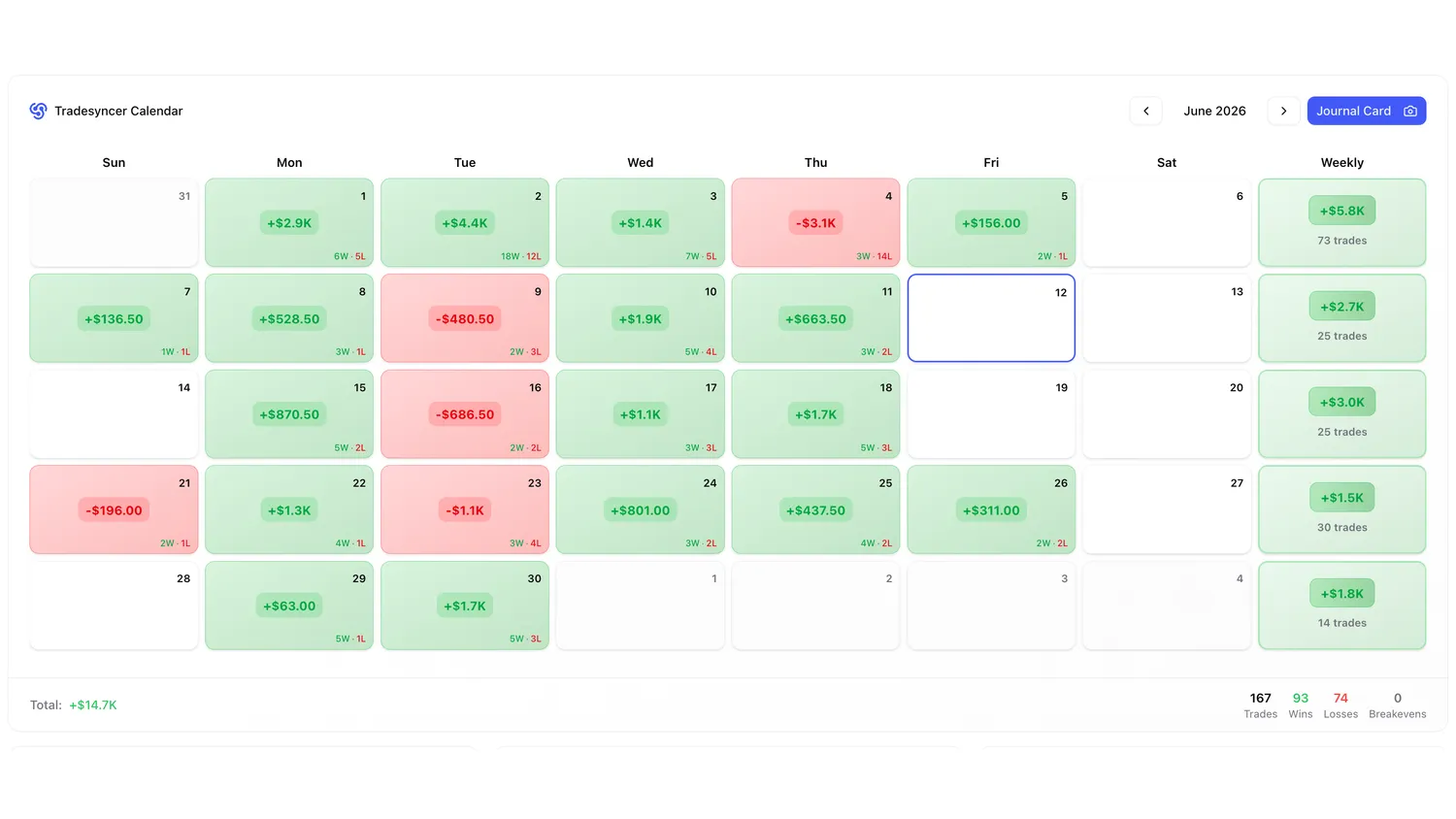
Every synced trade feeds your win rate, cumulative P&L, Tradesyncer Score, and trade calendar, automatically. Access everything from your browser, desktop, or phone. No setup. Always in sync.
Focus on trading. We handle the journal. Two minutes to set up, then one click per session — and every trade is logged automatically.
“Forced the 11:30 trade. Stop after two losses tomorrow.”
Discipline · 7/10Built for the way you actually work. Every feature is designed to help you trade better. Explore what’s inside.
Connect your accounts once. After that, one click syncs every trade from your brokers and prop firms. Size, price, P&L, and session included. Never manually log a trade again.
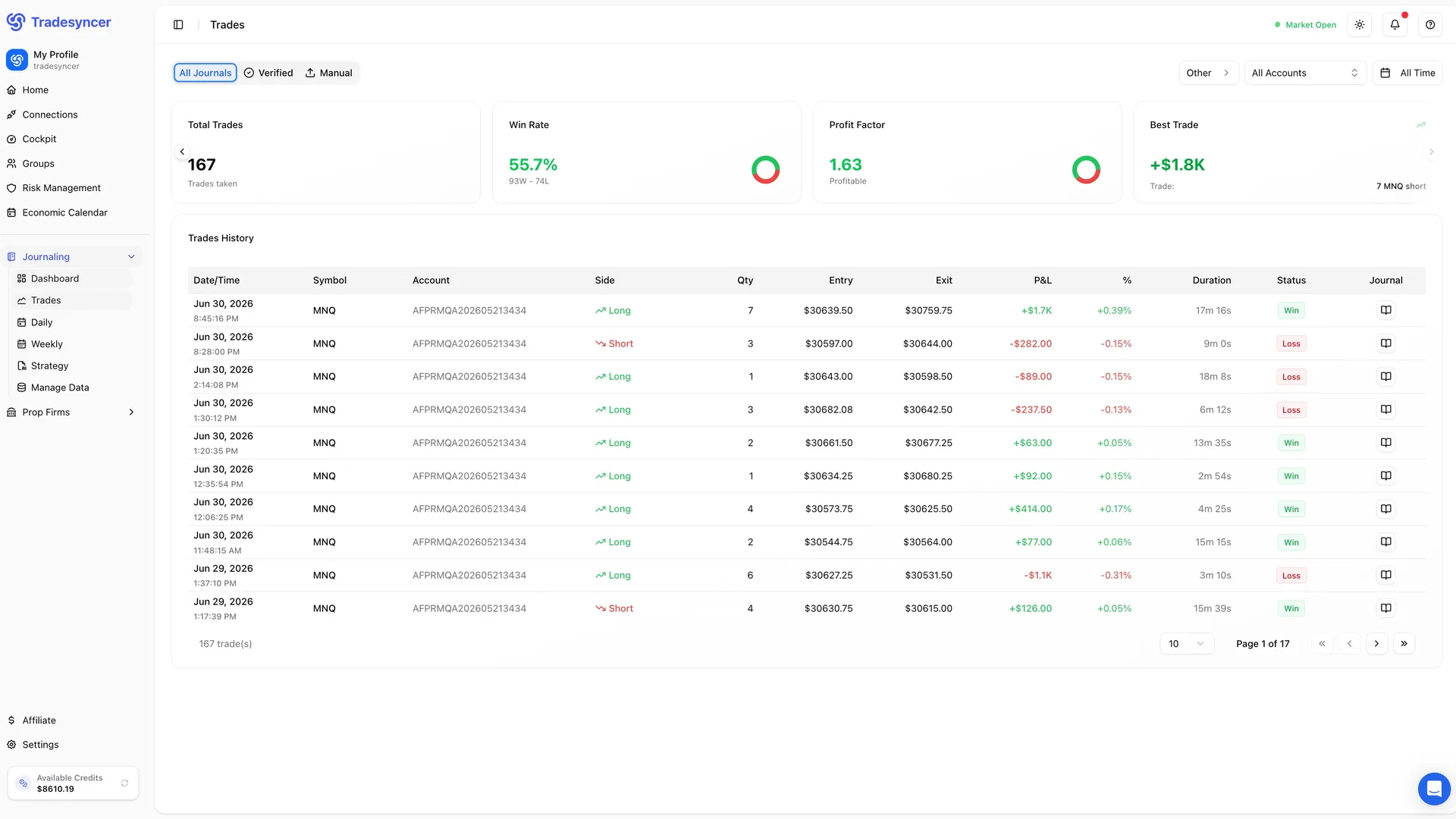
Filter any report by strategy, session, account, or tag. Identify and track which setups drive performance.
Your equity curve and full monthly calendar, built automatically from every synced trade. Green days, red days, the trend over time — all at a glance.
A complete suite of features that every funded future trader needs. No hidden costs or upgrades needed.
Add or import trades manually at any time.
Tag any setup in one click, compare performance side by side.
Journal the 'why' behind each trade and each day.
Slice any view by account, firm, or platform.
Download your full trading log and analytics to CSV any time. Your data stays yours — no lock-in.
Web, Windows, macOS, iOS and Android. Cross-system compatibility, nothing to install.
Whether you’re running an eval, scaling funded accounts, or managing a live broker, the journal fits seamlessly into your workflow.
See exactly which rule trips you up, so you can pass the eval faster.
Discover more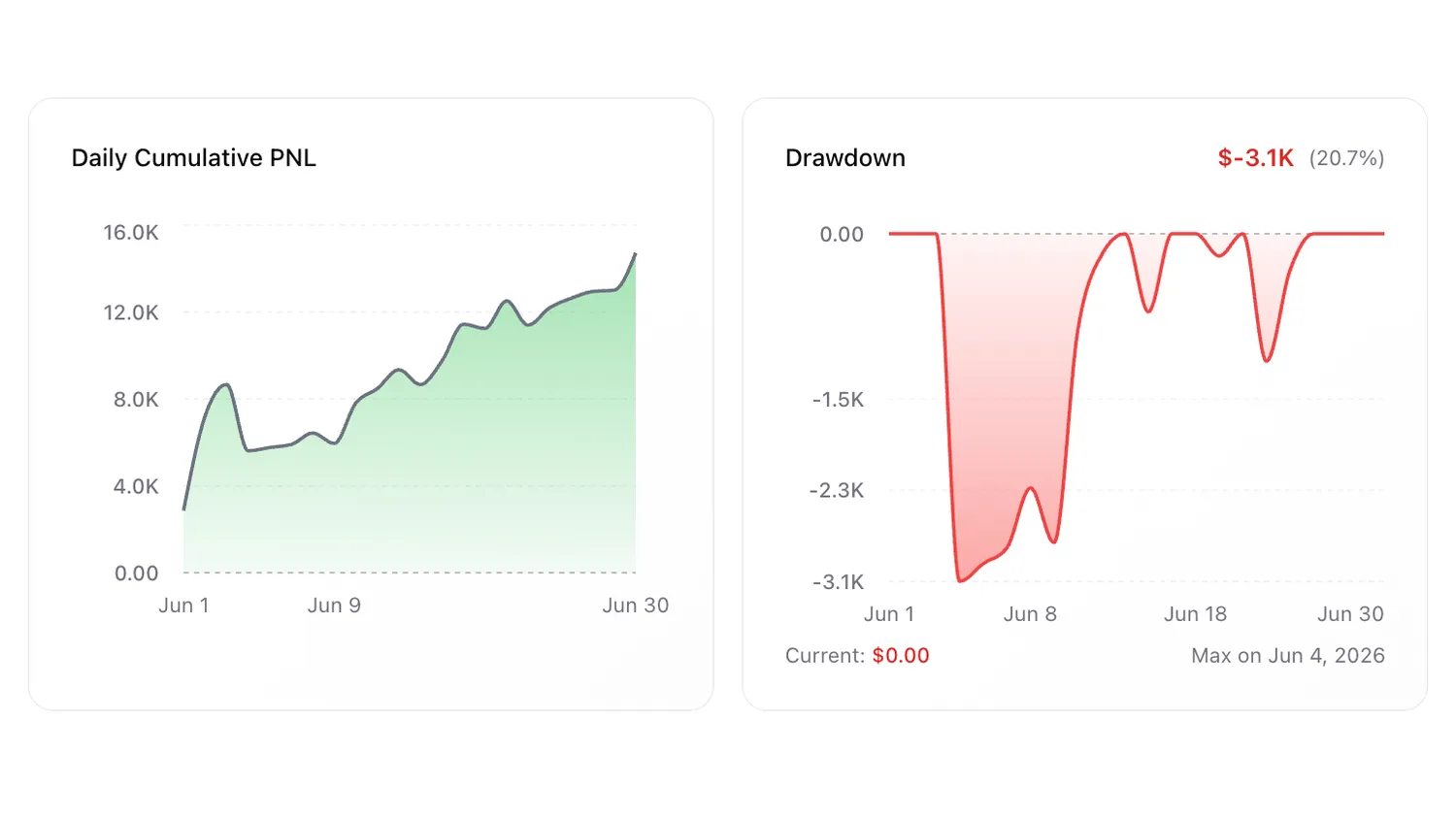
Real traders. Real reviews. Here’s what they say about journaling with Tradesyncer.
"The platform is clean, intuitive, and makes it easy to stay organized and on top of my trades. I love how it syncs and tracks everything, giving me clear, helpful analytics that really improve my decision-making."
"The product is incredible. Trade copying across multiple accounts, a great journaling page, and setup is easy and very intuitive. Combine that with amazing customer service and you have a top-notch company."
"Honestly didn't expect much at first, but Tradesyncer surprised me. Smooth setup, no clutter, and the insights are actually helpful. A solid tool if you're serious about trading without overcomplicating things."
Everything to know about our trading journal software, before you get started.
A trading journal is a complete record of every trade you take — the entry, exit, size, result, setup, and your mindset when you pulled the trigger. Reviewed consistently, it shows you which habits are making you money and which ones are costing you. Tradesyncer handles the data capture in one click, so the review actually gets done.
Start with the hard numbers: instrument, direction, size, entry, exit, P&L, and R-multiple. Then layer in context: your setup, the session, and your emotional state going in. The data tells you what happened. The context tells you why. Tradesyncer pulls the numbers in automatically, and gives you one-click tags for everything else.
A journal won't fix a broken strategy. But it will show you the patterns you'd otherwise miss: which setups are actually paying, which sessions you trade worst, and which days you're going off-plan. Traders who review consistently identify losing behavior faster and size up what's working. This feedback loop can build a real edge.
Yes — and it's built specifically for this. Tradesyncer connects your prop firm accounts and brokers in one place, with every fill logged per account. Run an eval and two funded accounts side by side and see each one's stats on their own or combined. No downloading statements. No spreadsheet work.
One click captures every trade. Tradesyncer then automatically surfaces your win/loss ratios, P&L breakdowns, drawdown, and advanced metrics. Review everything daily, weekly, or monthly, across all your accounts in one place.
Yes. Tag any trade by strategy, pull the performance breakdown for each, and compare them side by side. You'll see exactly which strategies are delivering, especially when you're running multiple prop accounts or trading different styles.
One-click sync from Tradovate, Rithmic, and ProjectX. Native support also available for NinjaTrader, TradingView, and more. And you can always add trades manually if your platform isn't listed.
Very detailed. Beyond win rate and P&L, you get R-multiples, MAE/MFE, drawdown tracking, session and setup heatmaps, a monthly trade calendar, and per-firm breakdowns. The kind of depth that actually moves your trading forward.
Yes. Dedicated fields let you log your confidence level, market conditions, and post-trade reflection on every trade. Review them over time and it is likely the emotional patterns will become clear.
Yes. We connect through official, encrypted broker APIs and encrypt your data in transit and at rest. We operate to GDPR, CCPA, NIS2 and ISO 27002 standards, and you keep full ownership of your accounts and data.
Any time. Export your full trading log and analytics to CSV whenever you want. Your data is always yours — take it anywhere.
Most consistent traders do a quick review right after the session closes, then a deeper dive on the weekend. Because the data capture is automatic, your daily review takes five minutes, instead of hours.
The journal is built directly into your trade copier. But there are plenty more features to explore.
Copy one account to dozens. Every fill synced across every firm, instantly.
Learn more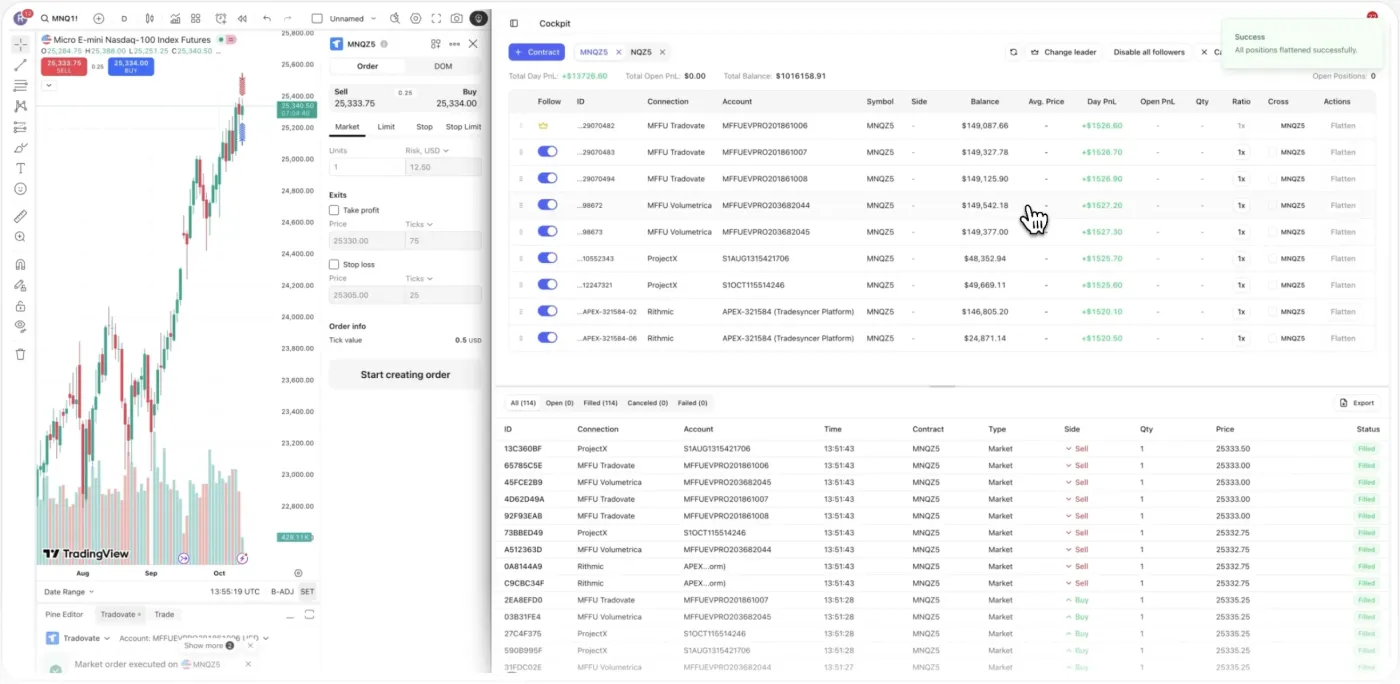
Set daily loss limits, profit targets, and one-click lockouts across all your accounts.
Learn more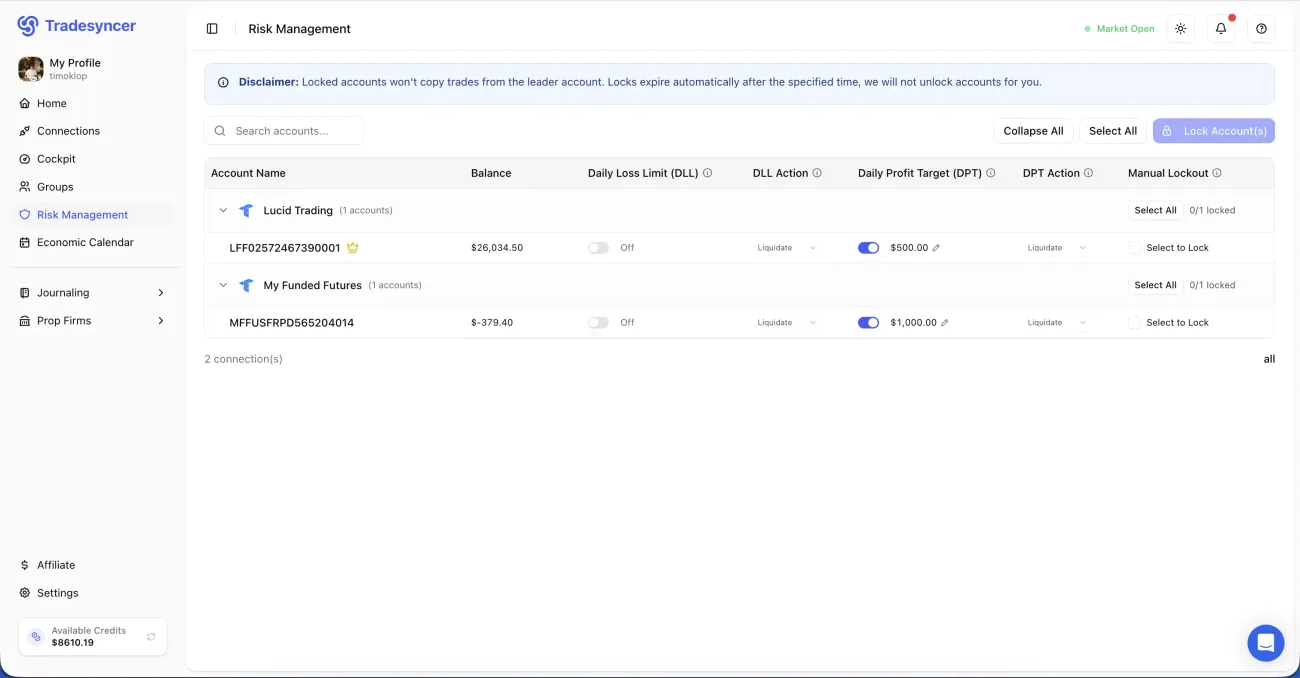
Track every eval fee, reset, and payout in one place, so you always know your net profit.
Learn more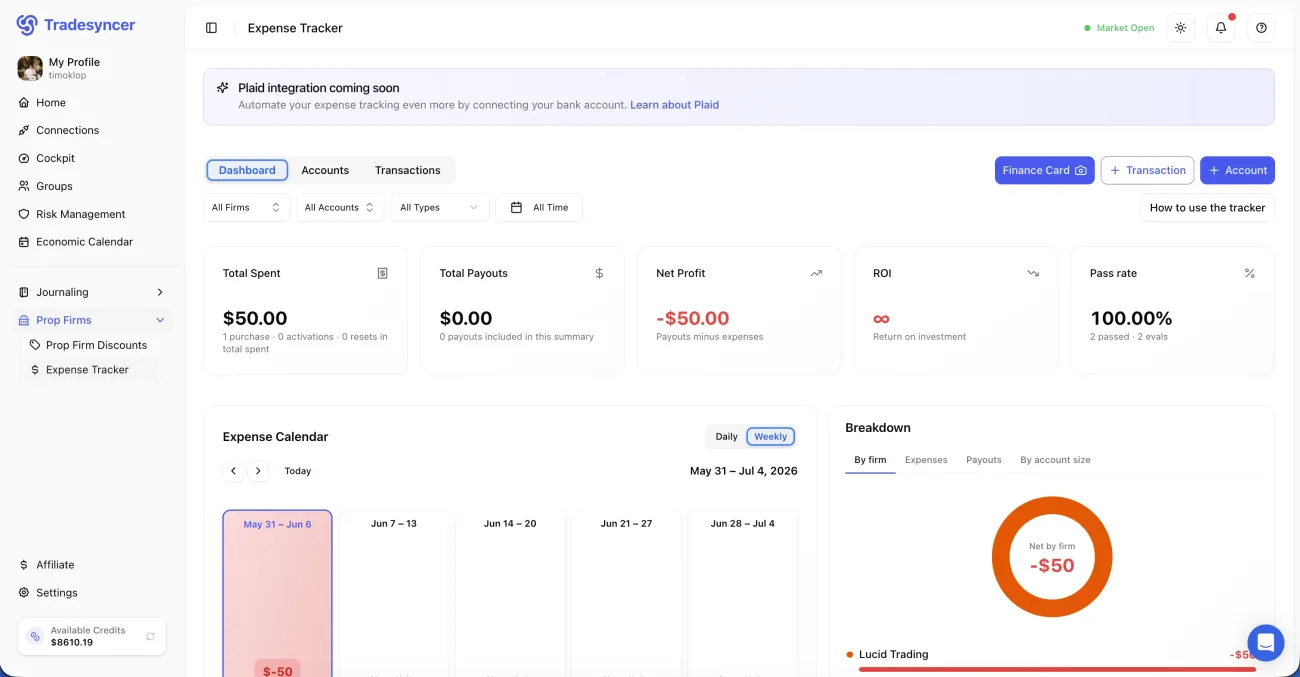
Your data is encrypted in transit and at rest, through official broker APIs. We meet global compliance standards across GDPR, CCPA, NIS2, and ISO 27002. Full ownership stays with you — no exceptions.
Join 25,000+ traders who log every account in one click. Try it free for 7 days — no charge until day 7.