 Apex Trader Funding
 Topstep
 MyFundedFutures
 Tradeify
 TakeProfit
 E8 Futures
 Bulenox
 Alpha Futures
 FundedNext
 TopOne
★★★★★
"The product is incredible. Trade copying across multiple accounts, a great journaling page, and setup is easy and very intuitive. Combine that with amazing customer service and you have a top-notch company."
Daily loss limits, drawdown math and consistency caps. Every firm writes them differently, and one slip can cost an account you spent months funding. Tradesyncer brings the copier, risk controls and journal into one platform so your guardrails ride along with every trade, across the accounts and firms you run.
4.6/5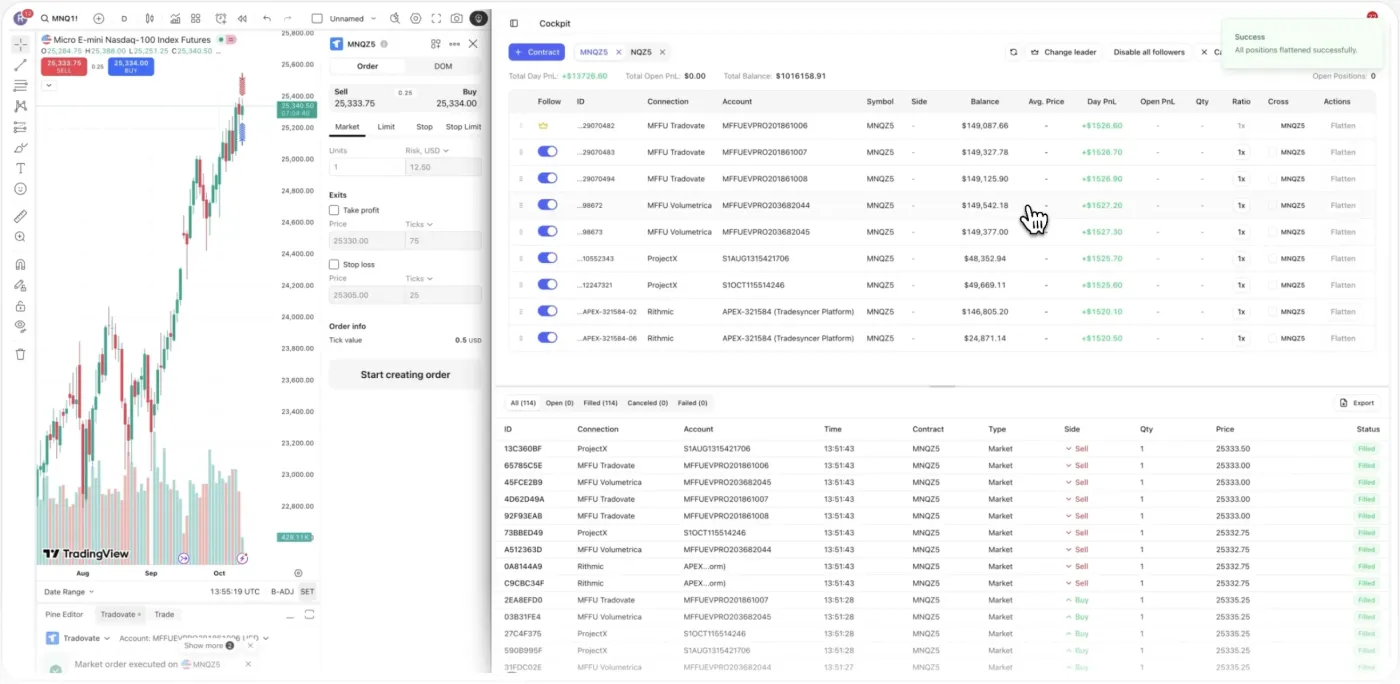
Apex, Topstep, MyFundedFutures, Tradeify and more. Connect your accounts once and run them from one screen. See the full list on our prop firms page.
Passing an evaluation is one fight. Keeping a funded account alive across several firms is another. The rules aren't the same firm to firm, they punish a single bad moment, and they live behind a stack of logins no spreadsheet keeps in sync. That's where accounts quietly break.
Apex, Topstep, MyFundedFutures and Tradeify each define drawdown, daily loss and consistency differently, so a habit that's fine at one firm breaches another.
One oversized loss, or one outsized winning day, can end an account that took months to fund. Trailing drawdown can close you while you're still in profit; a consistency breach can freeze a payout you earned.
Five or six accounts means five or six logins and no single view of where each one stands. By the time you check the laggard, the damage is done.
You manage every account by hand, so the discipline is only as good as your worst, most tired moment of the day.
Set your guardrails once, copy across firms, cap the day, and journal every account. Explore what runs for you.
Set your risk parameters once and apply them across the accounts you connect, instead of re-keying the same limits in every platform. They're applied per account, so you set each one around its own firm's limits and the guardrails travel with the trades. On Tradovate, the daily loss limit and profit target act at the broker level and are rolling out to more platforms.
Real traders. Real reviews. Here’s what they say about running on Tradesyncer.
"The product is incredible. Trade copying across multiple accounts, a great journaling page, and setup is easy and very intuitive. Combine that with amazing customer service and you have a top-notch company."
"The platform is clean, intuitive, and makes it easy to stay organized and on top of my trades. I love how it syncs and tracks everything, giving me clear, helpful analytics that really improve my decision-making."
"Honestly didn't expect much at first, but Tradesyncer surprised me. Smooth setup, no clutter, and the insights are actually helpful. A solid tool if you're serious about trading without overcomplicating things."
Connect your accounts, set your rules and groups, and trade with the guardrails on.
Link your accounts across NinjaTrader, TradingView, Tradovate, Rithmic, ProjectX, Volumetrica or dxFeed, and pick a lead account. Everything lands on one screen.
Set your risk parameters once and apply them per account. Build Copy Trading Groups per strategy, set Ratio per account, add session lockouts, and turn on the Tradovate daily loss limit where it applies.
Trade from your lead account and let Tradesyncer copy it across the accounts you chose, within the limits you set. Every trade is auto-logged for review before the next session or payout.
What Tradesyncer does for propfirm traders.
Policies differ by firm, so the only correct answer is to check the rules of each firm you trade with before you copy. Tradesyncer is built for traders operating their own accounts and is positioned to help you stay inside the rules, not to hide activity from a firm. We don't promise that every firm permits copying. Read each firm's terms, and use Ratio and groups to keep each account trading within its own limits.
No, and that's exactly why this is hard. Firms use different methods such as static drawdown, trailing intraday, trailing end-of-day, and trailing-to-static that locks once you pass. Daily loss can be measured from start-of-day balance, initial balance, or equity including open positions. Because the math differs, a position size that's safe at one firm can breach another. Tradesyncer doesn't publish per-firm drawdown templates, so know each firm's exact method, set your own buffers, and use the controls here to hold to them.
The consistency rule caps how much of your total profit can come from a single day, often expressed as no single day above a set percentage of profit. Break it and a payout can be frozen even when you never touched a drawdown limit. Tradesyncer doesn't enforce a per-firm consistency rule automatically. What it gives you is the journal and one-screen view to watch how each day stacks up, plus session lockout and the Tradovate daily loss limit to stop a day from running away.
Live today: the trade copier, Copy Trading Groups, Ratio, the Cross Order function, session lockout, the auto-logged journal, and the unified multi-account dashboard. The daily loss limit and profit target act at the broker level on Tradovate and are rolling out to more platforms, so they're Tradovate-first today. We'd rather tell you that plainly than imply every firm and platform is covered.
No, and the exact scope matters. Session lockout is a Tradesyncer feature. When it triggers it closes open positions, cancels pending orders and copies no new trades, but it doesn't restrict trading at the broker level. It's a strong guardrail against your own copied activity, not a broker-side block.
Not on its own. On Tradovate, the daily loss limit tracks net P&L from 6:00 PM ET and, when hit, closes positions and cancels orders. Hitting it doesn't by itself lock the account. If you want the account to stay closed for the rest of a window, pair the loss limit with a session lockout so it holds the door shut inside Tradesyncer.
Yes, that's the core use case. Tradesyncer shows all your connected accounts on one screen and copies a single trade across the accounts you choose, with Ratio to size each one. The accounts can sit across different firms and platforms. What stays your responsibility is knowing each firm's rules, since Tradesyncer applies rules per account rather than from firm-specific templates.
Average copy latency is around 50ms from leader fill to follower fill, on cloud infrastructure with 99.9% uptime. Because execution runs in our infrastructure, copying continues without you keeping a desktop machine running.
Firms have their own detection and their own policies, so we won't promise any outcome. What we can say is how to trade sensibly: Tradesyncer is built for traders running their own accounts, Ratio lets each account take a different size rather than mirroring one-for-one, and groups let you separate strategies. Always confirm what your specific firms allow before you rely on copying.
Everything here runs in the same platform: your copier, your risk controls, and your journal.
Copy one account to dozens. Every fill synced across every firm in about 50ms.
Learn moreDaily loss limits, profit targets, and one-click lockouts across all your accounts.
Learn more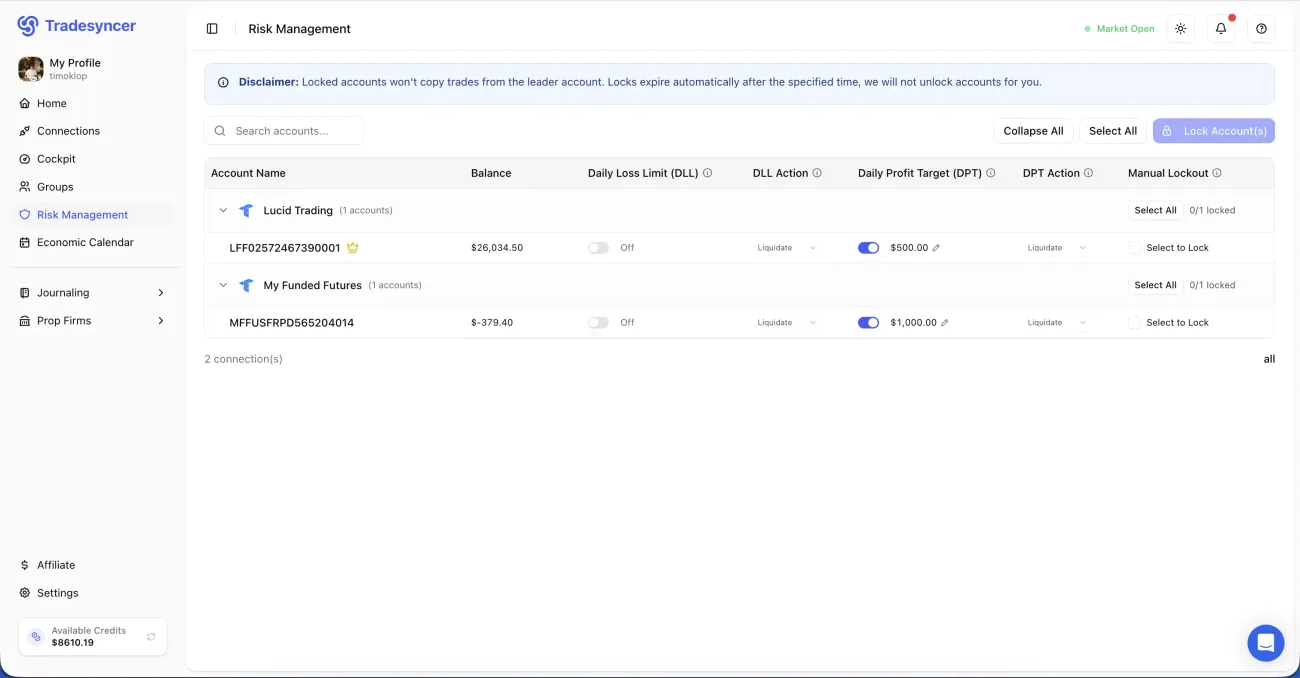
Every fill lands in your journal in one click, with P&L, R-multiples and tags attached.
Learn more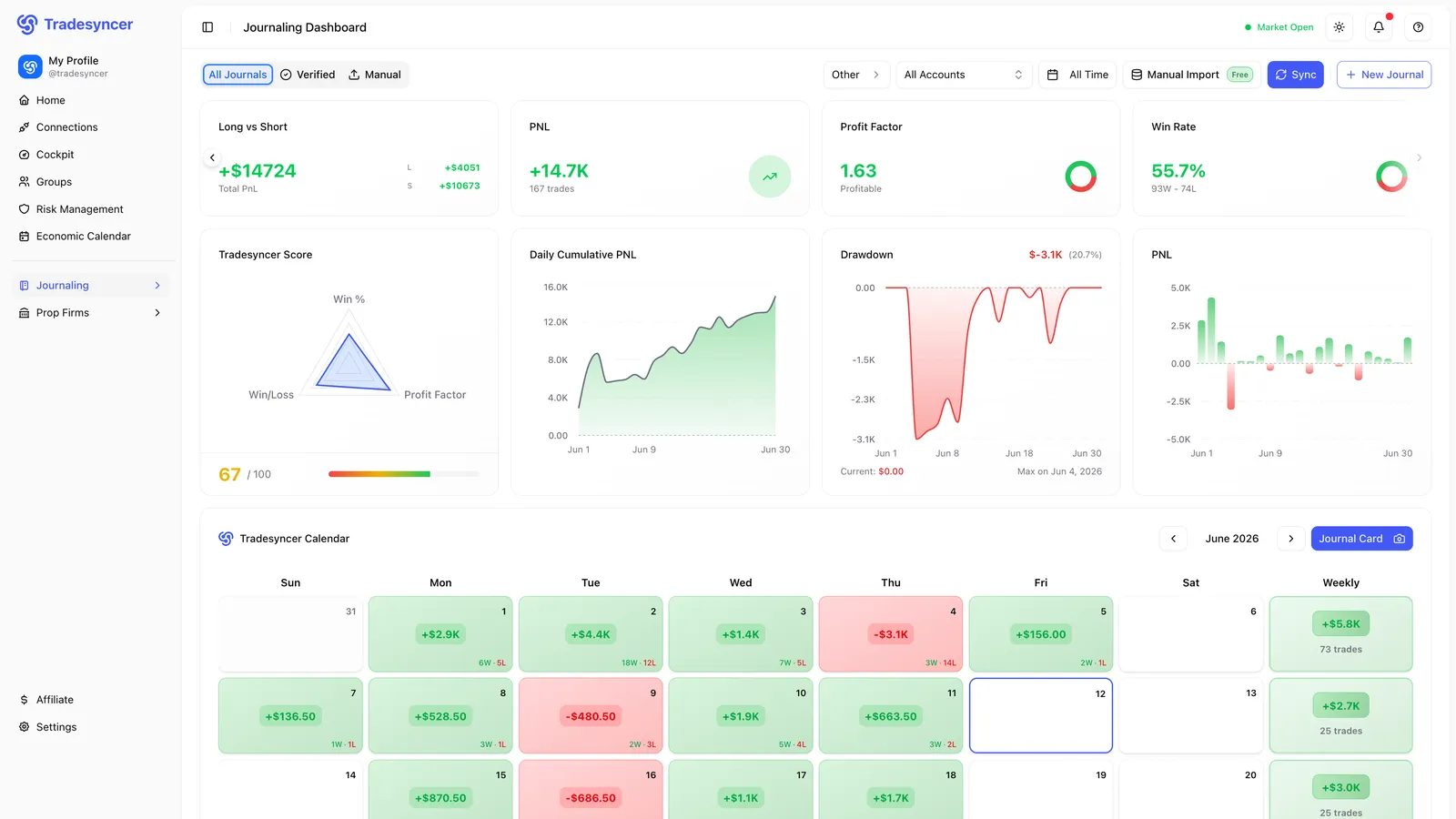
Copy across firms, hold every account to its limits, and journal them in one place. Try it free for 7 days, no charge until day 7.