 Apex Trader Funding
 Topstep
 MyFundedFutures
 Tradeify
 TakeProfit
 E8 Futures
 Bulenox
 Alpha Futures
 FundedNext
 TopOne
★★★★★
"The product is incredible. Trade copying across multiple accounts, a great journaling page, and setup is easy and very intuitive. Combine that with amazing customer service and you have a top-notch company."
Copy one setup across the eval accounts you own, with identical entries in about 50ms, and let a daily loss limit and a session lockout hold each one. Self-owned accounts only. Cloud-based, no VPS to babysit.
4.6/5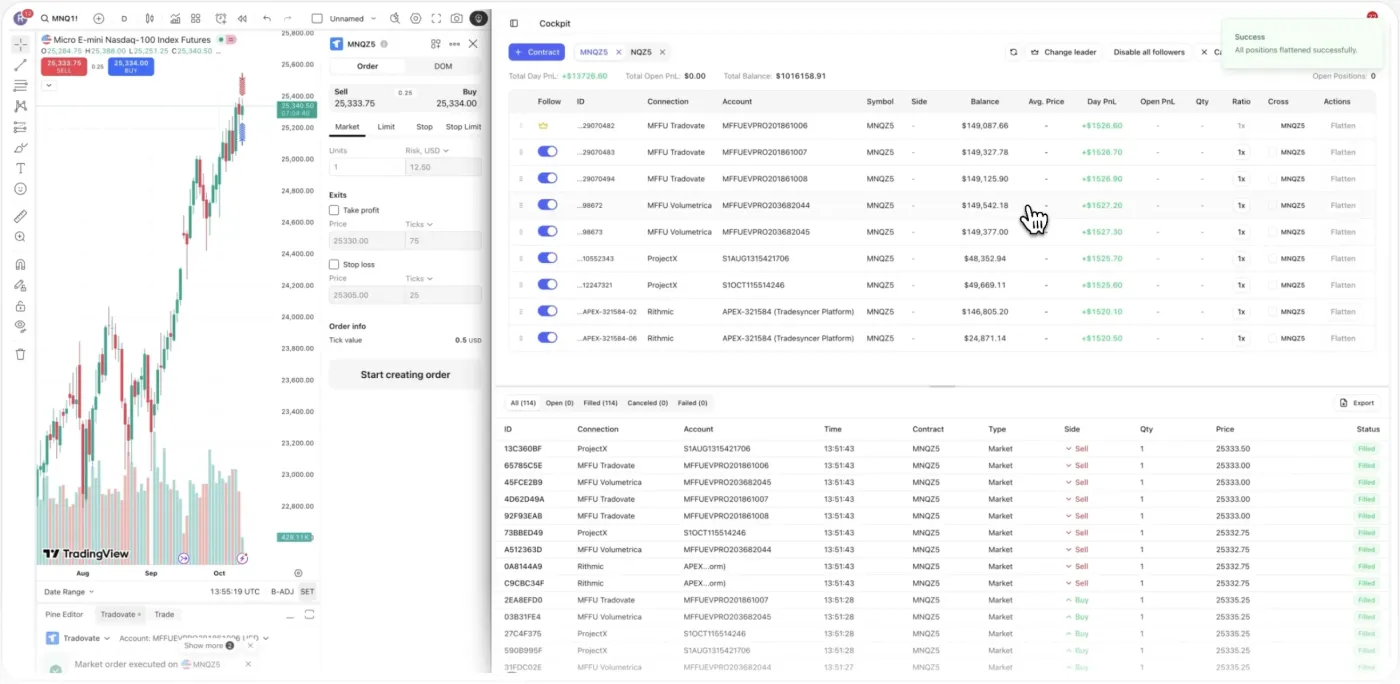
Connect the prop firms you run evals with and copy one setup across the accounts that allow it. No exports. No extra screens.
They fail on the mechanics around it. And every failure is a reset you pay for, then start over.
Trailing drawdown can fail an account while a trade is still in profit, and the rule is invisible until it triggers.
Entering across several combines by hand means slippage and double-fills, so one account breaches on a price you never intended.
The reset-and-rebuy loop has no built-in discipline, so the revenge trade that failed account one quietly fails the reset too.
This is what the evals are for. A $10,000 month is about $455 a day on one account. Across three funded accounts it’s roughly $150 a day each.
Splitting the daily number across accounts does not lower your risk per trade. Copied trades move together. The $10,000 figure is illustrative, not a projection of earnings.
Copy your setup across every eval, and let the limits hold each account. Explore what runs for you.
Trade your lead account and Tradesyncer copies every entry to the eval accounts you connect, in about 50ms. Put each firm in its own Copy Trading Group, and close every position in a group at once with Flatten Group. Self-owned accounts only.
Real traders. Real reviews. Here’s what they say about running on Tradesyncer.
"The product is incredible. Trade copying across multiple accounts, a great journaling page, and setup is easy and very intuitive. Combine that with amazing customer service and you have a top-notch company."
"The platform is clean, intuitive, and makes it easy to stay organized and on top of my trades. I love how it syncs and tracks everything, giving me clear, helpful analytics that really improve my decision-making."
"Honestly didn't expect much at first, but Tradesyncer surprised me. Smooth setup, no clutter, and the insights are actually helpful. A solid tool if you're serious about trading without overcomplicating things."
It takes minutes. Connect your accounts, set your limits, and let it run.
Link the eval accounts you own and pick a lead. Cloud-native, with no VPS or install to babysit.
Put each firm's eval in its own Copy Trading Group, set Ratio sizing, add session lockouts, and on Tradovate set your daily loss limit.
Trade your lead and Tradesyncer mirrors it across the combines you chose. Review the auto-logged journal to tighten the next attempt.
Running prop firm evaluations on Tradesyncer.
It depends on the firm, and evaluation-phase rules are often stricter than funded-phase rules. Many futures firms permit self-copying between accounts you personally own; copying external signals or someone else's challenge is widely prohibited. Tradesyncer only copies your own trades between your own accounts, with no IP masking or signal-selling. Policies vary and change, so read your firm's evaluation terms first. We can't guarantee any individual firm permits copying during its eval.
No. Copying the same setup to more accounts does not improve your probability of passing and does not lower per-trade risk. The trades are correlated, so a winning trade wins on every account and a losing trade loses on every account at the same time. Running several combines spreads the same outcome across more accounts; it's an execution and diversification choice, not an odds-improvement strategy.
Firms detect copy trading through patterns like near-identical fills, shared devices and IPs, and they treat unauthorized external copying very differently from self-copying your own accounts. Because policies and detection differ by firm, confirm your firm explicitly allows self-copy across your own accounts during the eval. Tradesyncer is built for transparent, self-owned copying and uses no IP tricks. We make no guarantee about how a specific firm will interpret your activity.
Trailing drawdown moves up as your balance rises, so it can fail an account even while a trade is in profit if you give back too much from a peak; end-of-day drawdown only locks in at the close. The consistency rule typically caps how much of your total profit can come from a single day, so one outsized green day can gate a pass. These are firm rules, not Tradesyncer features, and we don't change or enforce them. Always confirm the exact numbers in your firm's terms.
The daily loss limit caps how much you can lose in a single day and resets each session; the max (often trailing) drawdown is the floor your balance can never breach across the whole evaluation. Daily limits fail accounts on single-session blowups; trailing drawdown fails them slowly by clawing back from a peak. Tradesyncer's own daily loss limit on Tradovate lets you set a personal cap tighter than the firm's, which closes positions on trigger but doesn't itself lock the account.
Minimum trading days are set by the firm, commonly a handful of active days, and they exist so the firm sees consistency rather than one lucky session. Some firms have no minimum and no time limit. This is a firm rule, not something Tradesyncer sets or shortens, so check your firm's terms before you plan your pass.
That's firm-specific. Some firms price a reset below a fresh challenge; others make a new account roughly the same, especially during promotions. Tradesyncer doesn't sell evaluations or resets, so we can't quote a price. The more useful question is why the account failed: if it was an execution or discipline breach, the journal and lockouts are there to help you not repeat it.
Live today across supported platforms: copy trading with Copy Trading Groups, Ratio and Cross Order copying, the Flatten Group button, the integrated journal, and session and time-based lockouts. The daily loss limit and profit target are live for Tradovate accounts via the Tradovate API and are rolling out to more platforms. We don't build features we don't yet offer, so you can plan around what ships today.
No. Tradesyncer runs in the cloud, 24/7, with 99.9% uptime, so your copy groups and lockouts keep working even if your computer is off or your connection drops. There's no VPS to rent, configure or maintain, which also reduces the sync and slippage errors that cause unintended cross-account breaches.
Yes, a 7-day free trial: card required, no charge until day 7, cancel anytime. To be clear, Tradesyncer does not guarantee you will pass any evaluation and makes no earnings claims. It is execution and discipline infrastructure: it copies your trades cleanly and enforces the rules you set on yourself. Passing still depends on your strategy and the firm's rules.
Everything here runs in the same platform: your copier, your risk controls, and your journal.
Copy one account to dozens. Every fill synced across every firm in about 50ms.
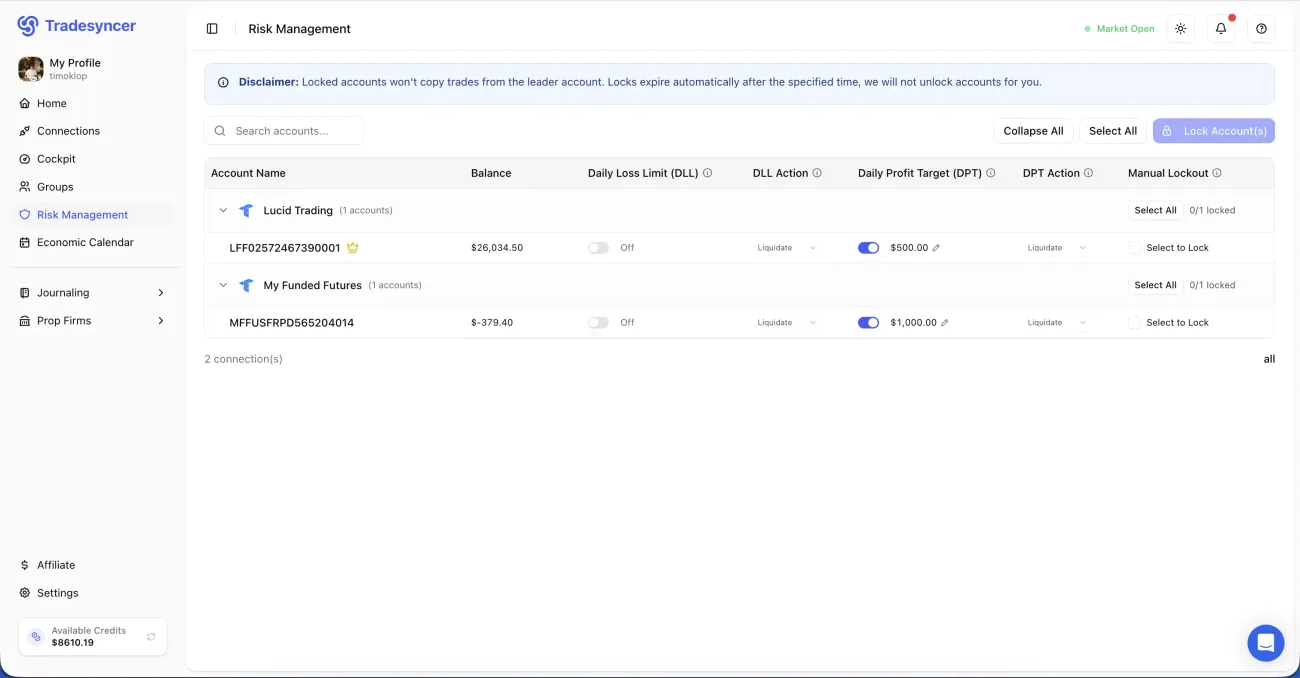
Learn moreDaily loss limits, profit targets, and one-click lockouts across all your accounts.
Learn moreEvery fill lands in your journal in one click, with P&L, R-multiples and tags attached.
Learn more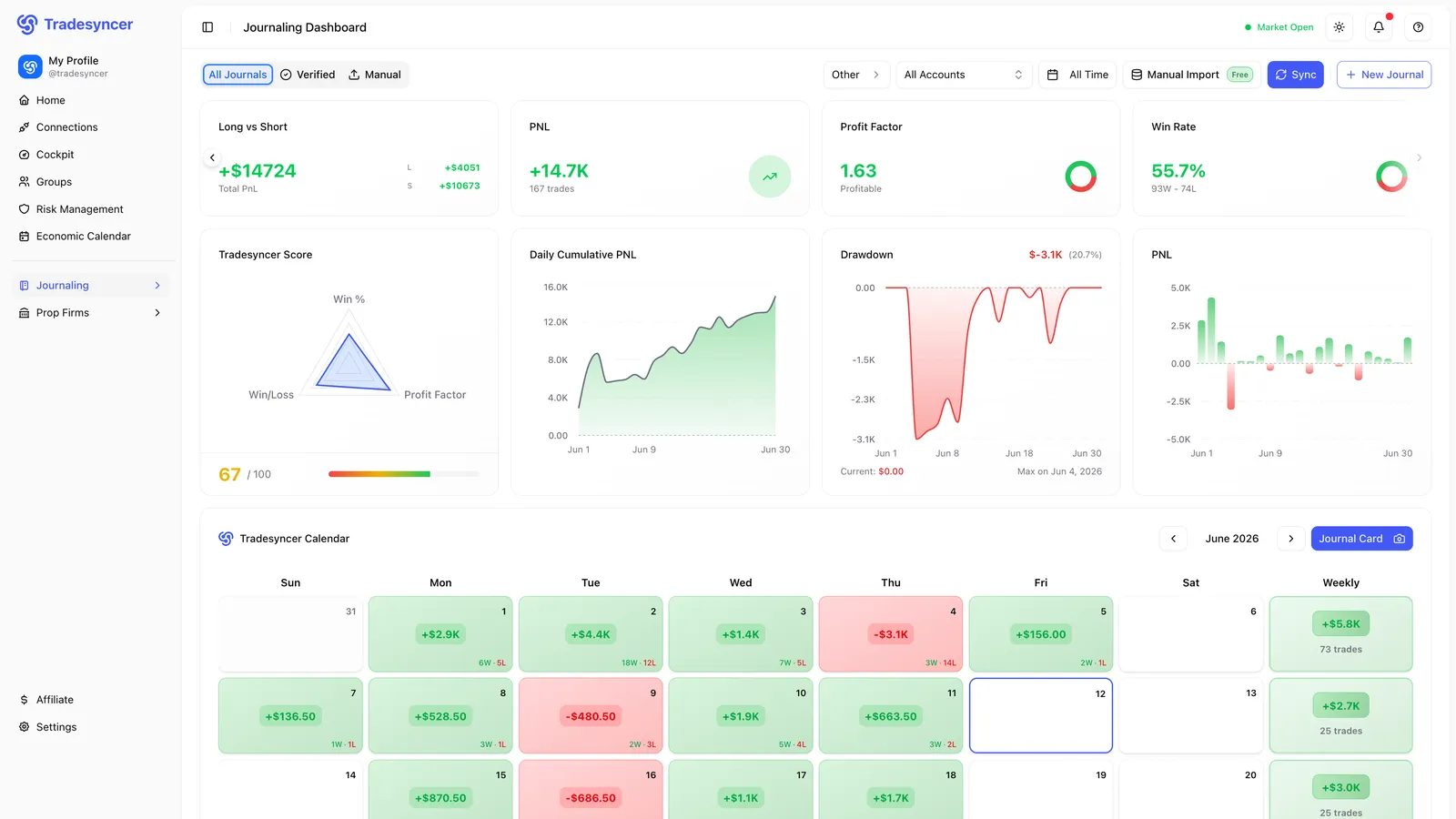
Copy your setup across every eval, and let a daily loss limit hold each one. Try it free for 7 days, no charge until day 7.