 Apex Trader Funding
 Topstep
 MyFundedFutures
 Tradeify
 TakeProfit
 E8 Futures
 Bulenox
 Alpha Futures
 FundedNext
 TopOne
★★★★★
"The product is incredible. Trade copying across multiple accounts, a great journaling page, and setup is easy and very intuitive. Combine that with amazing customer service and you have a top-notch company."
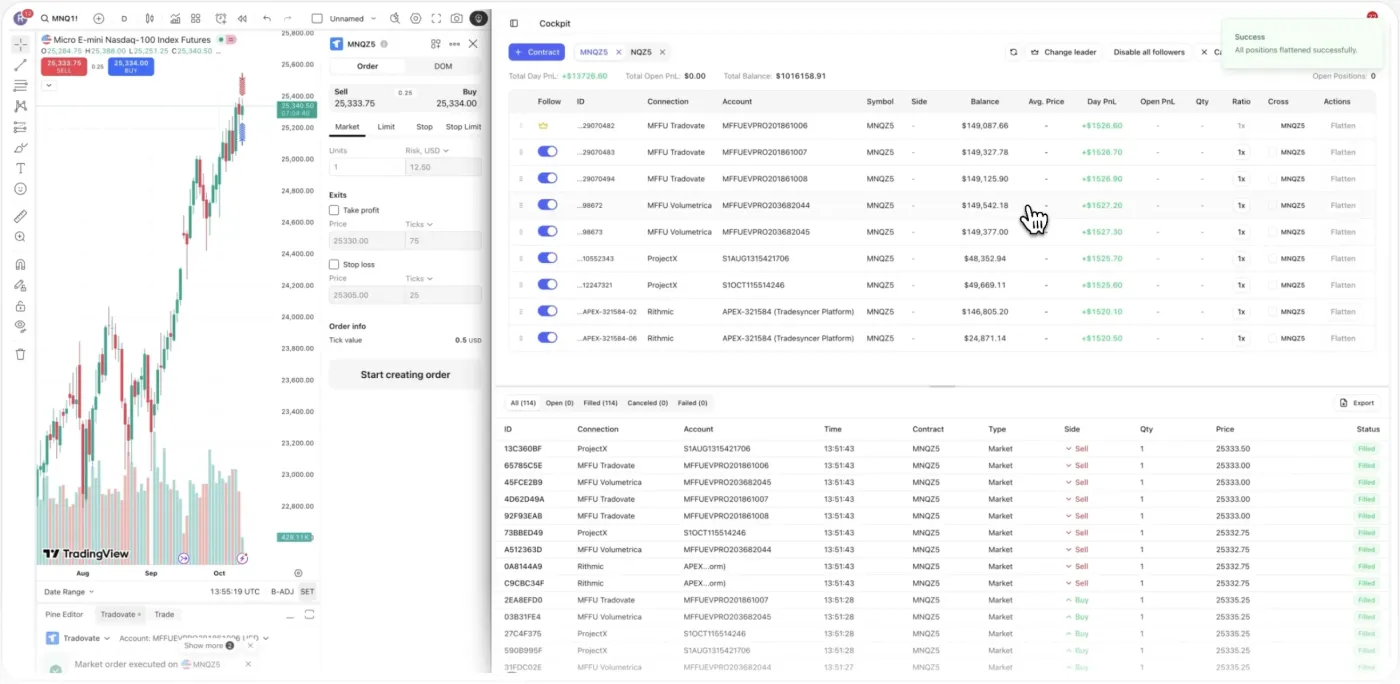
Scaling funded accounts is an operations problem, not a strategy one. Trade one lead account and Tradesyncer copies every fill across the whole fleet in about 50ms, sized per account. Compare which account and strategy actually pays, and hold them all to one risk setup. Grow the number of accounts, not the number of things to babysit. Cloud-based, no VPS.
4.6/5
Connect every account across every firm once and run them as one fleet. Rules and drawdown math sync automatically, per account.
Past three to five accounts, the thing that breaks first is the operations. The same trade hits every account at once, so a single bad session can bite the whole fleet on the same day. You're juggling a dozen broker logins with no clear read on which account is carrying you and which is leaking. And every account you add is another window to size by hand, exactly where one fat-finger slip costs you the account.
Copy one trade across the fleet and a bad session hits every account at once, so a correlated drawdown can breach several on the same day.
A dozen broker logins and no single read on which account or strategy is genuinely profitable, so adding accounts scales noise instead of edge.
Every new account is another window to watch, size and reconcile by hand, and the mental load climbs faster than the income.
One mis-sized order or missed limit on a single account undoes a good week, because at scale the cost of a slip is a whole funded account.
Copy once, size each account on its own terms, compare what pays, and protect it all with one setup. Explore what runs for you.
Trade your lead account and Tradesyncer copies every fill to all your followers in about 50ms, sized per account. Adding the next account is one more follower in a Copy Trading Group, not one more job. Whether you run 2 accounts or 200, scaling is a setting, not a second workflow.
Real traders. Real reviews. Here’s what they say about running on Tradesyncer.
"The product is incredible. Trade copying across multiple accounts, a great journaling page, and setup is easy and very intuitive. Combine that with amazing customer service and you have a top-notch company."
"The platform is clean, intuitive, and makes it easy to stay organized and on top of my trades. I love how it syncs and tracks everything, giving me clear, helpful analytics that really improve my decision-making."
"Honestly didn't expect much at first, but Tradesyncer surprised me. Smooth setup, no clutter, and the insights are actually helpful. A solid tool if you're serious about trading without overcomplicating things."
Connect the fleet, group and size it, and scale.
Link every account across every firm once, on the platforms your firms use. Cloud-native, nothing to install and no VPS to keep alive.
Put your accounts in a Copy Trading Group under one lead, set Ratio sizing per account, and apply your daily loss limit and lockouts where your platform supports them.
Copy your lead across the fleet and add the next account as one more follower. Compare what pays in the journal, scale that, and cut what leaks.
What Tradesyncer does for scaling traders.
That depends on your strategy and how correlated your accounts are, not on the tooling. The copier handles execution at scale: one lead fires to every follower in about 50ms, each sized on its own terms, so the practical ceiling is your risk appetite and each firm's rules rather than how many screens you can watch. Many traders scale from a handful to a much larger fleet once the manual work is removed.
Your plan determines how many connected accounts you can run at once, so check the pricing page for the tier that fits, then scale within it or upgrade as your fleet grows. Each prop firm also sets its own cap on how many accounts you can hold.
This is the core risk of scaling, and the answer is per-account risk enforcement plus sizing. Each account carries its own daily loss limit, which closes positions and cancels orders the moment that account hits its number, so one account hitting its floor does not depend on the rest. Pair that with Ratio sizing so no single copied trade is oversized, and session lockouts so a bad open does not cascade. The loss limit runs live for Tradovate accounts today and is rolling out to more.
Both are valid, and Tradesyncer supports either since you can connect accounts across many firms and run them as one fleet. Diversifying across firms reduces your dependence on any single firm's rule changes or payout delays; stacking at one firm can simplify operations. Each firm sets its own cap on how many accounts and how much capital you can hold, so confirm those limits before you decide.
It depends entirely on each firm, and you stay responsible for following their rules. Copying across your own accounts is permitted at many firms, restricted at some, and not allowed at a few. Each firm also caps how many accounts you can run. Tradesyncer gives you the tooling; confirm copy trading is permitted with every firm in your fleet before you scale it.
Most firms unlock larger account sizes or higher payout tiers as you hit profit targets and trading-day minimums, and each firm's plan is different. Tradesyncer doesn't change those rules; it helps you operate inside them by sizing every account correctly, holding risk limits, and journaling the consistency that scaling plans reward. Confirm the exact targets and caps with each firm, since they vary.
Use the per-account Ratio function. It scales each follower independently, so a smaller account takes a fraction of the lead and a larger one scales up, and Cross Order lets a micro account follow a standard-contract lead. Combined with each account's own daily loss limit, a single copied trade stays inside the limits of the account it lands in rather than being uniform across the fleet.
Live today: session and time-based lockouts, Ratio sizing, Cross Order copying, and the built-in journal. The daily loss limit and daily profit target, which close positions and cancel orders when an account hits the number, run live for Tradovate accounts and are rolling out to more platforms. Note that hitting the loss limit or profit target closes that account's trades but does not by itself lock the account.
No. Tradesyncer is cloud-based and runs 24/7 on infrastructure with 99.9% uptime, so your copier and risk limits keep working whether your laptop is on or not. That is the operational difference at scale: you are not maintaining a VPS or a desktop instance per account.
Yes. Try Tradesyncer free for 7 days. Card required, no charge until day 7, cancel anytime.
Everything here runs in the same platform: your copier, your risk controls, and your journal.
Copy one account to dozens. Every fill synced across every firm in about 50ms.
Learn moreDaily loss limits, profit targets, and one-click lockouts across all your accounts.
Learn more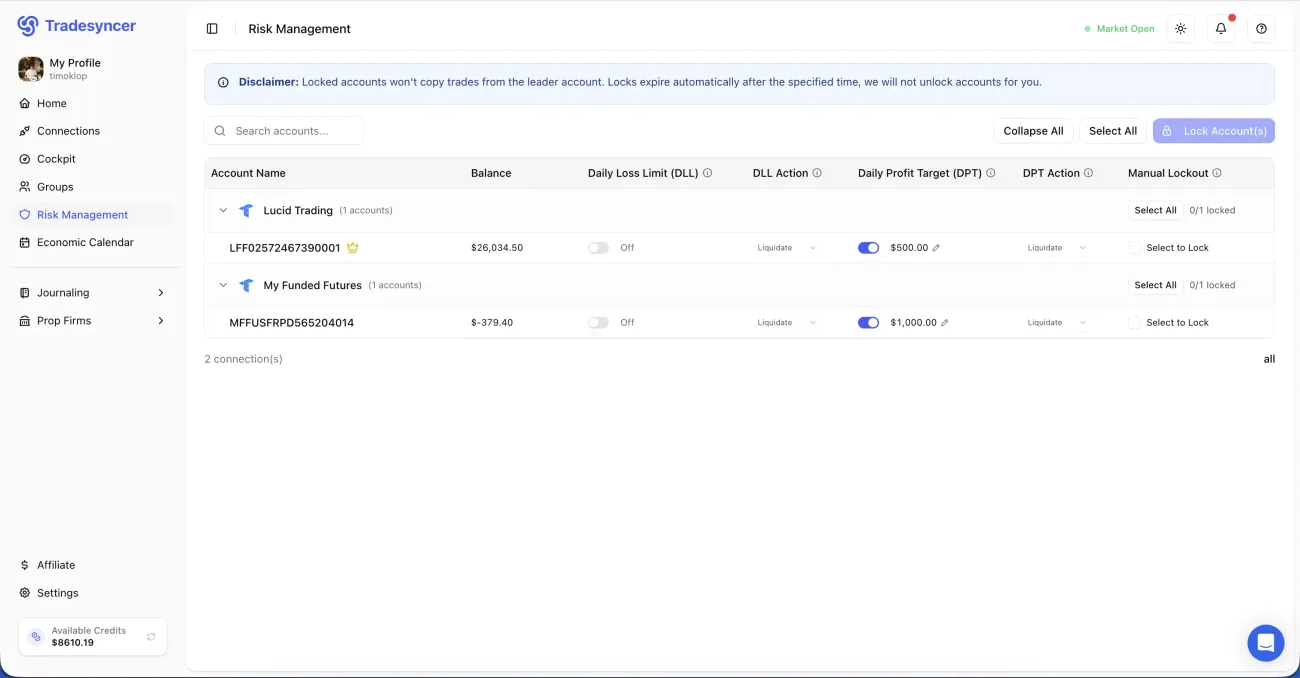
Every fill lands in your journal in one click, with P&L, R-multiples and tags attached.
Learn more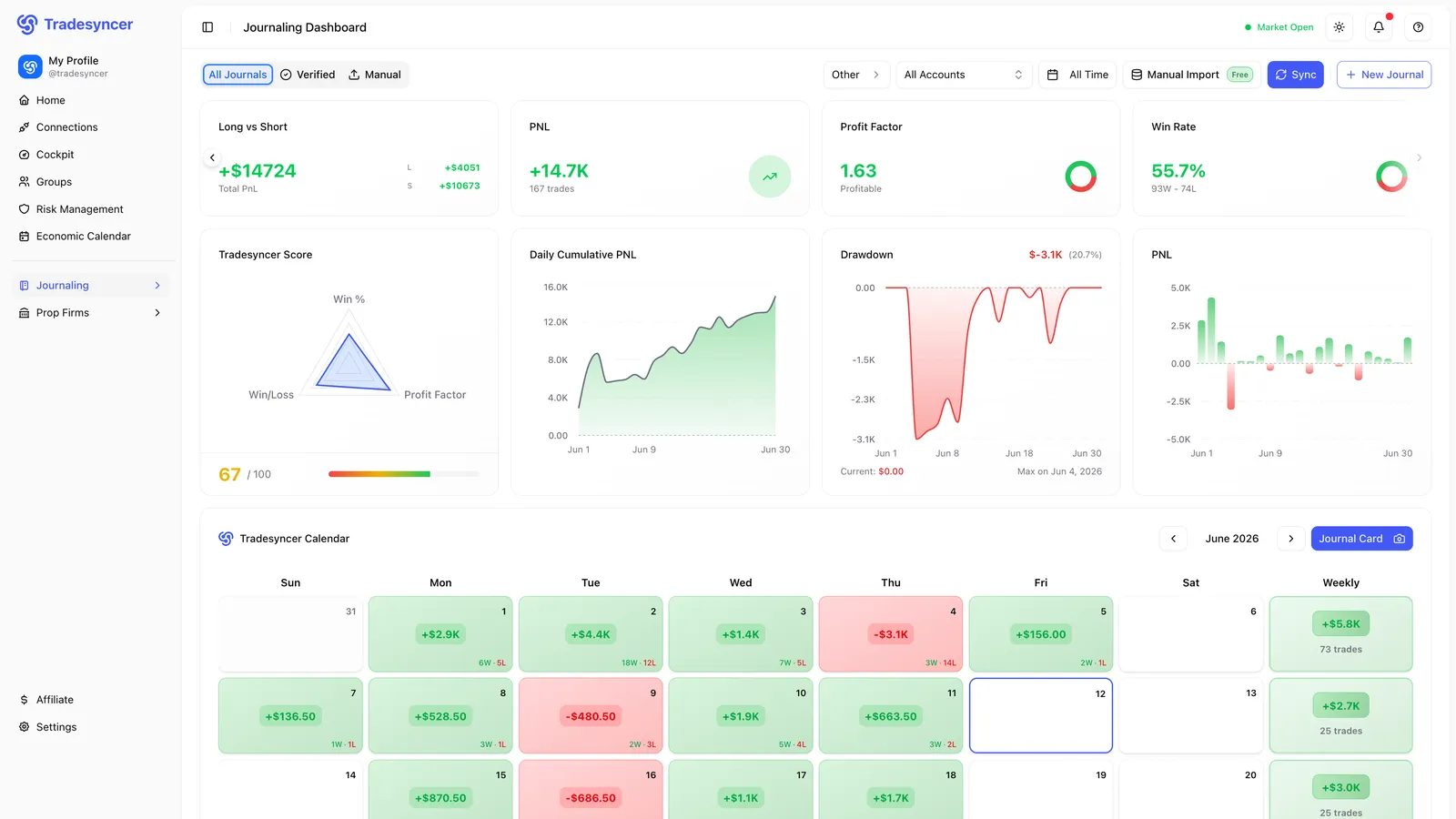
Copy one lead across the fleet, compare what pays, and protect it all with one setup. Try it free for 7 days, no charge until day 7.