 Apex Trader Funding
 Topstep
 MyFundedFutures
 Tradeify
 TakeProfit
 E8 Futures
 Bulenox
 Alpha Futures
 FundedNext
 TopOne
★★★★★
"The product is incredible. Trade copying across multiple accounts, a great journaling page, and setup is easy and very intuitive. Combine that with amazing customer service and you have a top-notch company."
Tradesyncer is built for futures: the contracts you trade, the sessions you trade them in, and the platforms that fill them. Copy ES, NQ and YM across every account with automatic micro-to-mini sizing, run it from the cloud with no VPS to rent, and trade from a Mac or a PC. One trade fires, every account follows in about 50ms.
4.6/5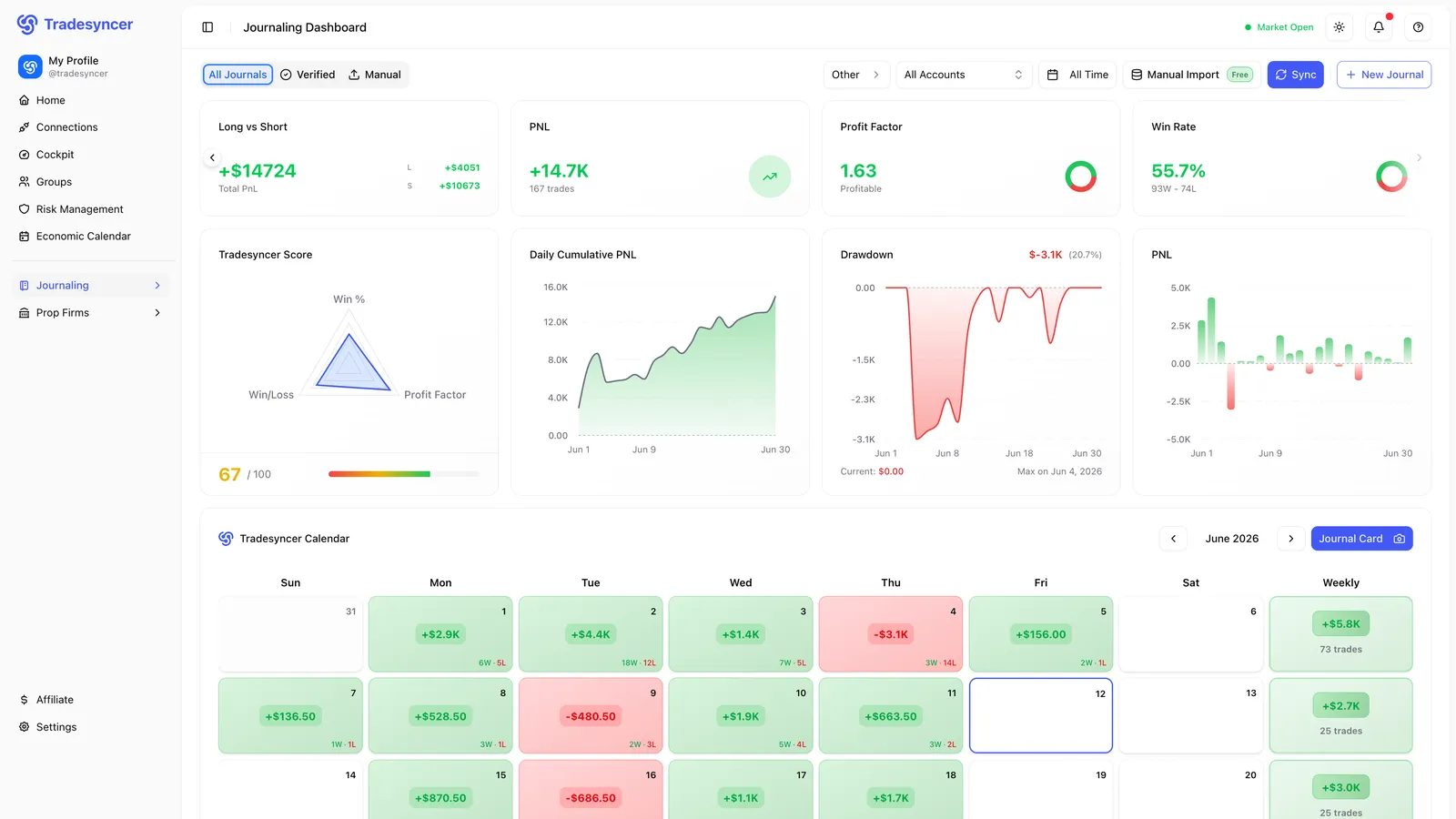
Connect your prop firm and broker accounts once and trade futures across all of them, sized per account. See the full list on our brokers page.
Generic copy tools treat futures like any other market. But futures have their own contracts, their own micro and mini sizes, and their own RTH and overnight sessions. When the tooling doesn't understand any of that, you end up doing the futures-specific work by hand, on a machine that has to stay on.
Tools built for stocks or forex don't understand E-mini and Micro E-mini contracts, so sizing a 25K account and a 150K account from one trade is manual and error-prone.
Most copiers are local-first and want a VPS that has to stay running: an extra rental, a Windows box to babysit, and nothing that works natively on a Mac.
One wrong micro-versus-mini multiplier oversizes the small account, and a single fat-finger conversion can breach an account you spent months funding.
No clean read on how each account actually traded, because the journal lumps every account together behind separate logins.
The platforms you use, automatic micro-to-mini copying, one journal, and risk built for funded accounts. Explore what runs for you.
Tradovate, NinjaTrader, Rithmic, TradingView, ProjectX, Quantower, Sierra Chart, ATAS, Volumetrica and dxFeed. Connect your futures accounts once and run them from one cloud workspace. Nothing to install, no VPS to rent, and it works the same on a Mac or a PC.
Real traders. Real reviews. Here’s what they say about running on Tradesyncer.
"The product is incredible. Trade copying across multiple accounts, a great journaling page, and setup is easy and very intuitive. Combine that with amazing customer service and you have a top-notch company."
"The platform is clean, intuitive, and makes it easy to stay organized and on top of my trades. I love how it syncs and tracks everything, giving me clear, helpful analytics that really improve my decision-making."
"Honestly didn't expect much at first, but Tradesyncer surprised me. Smooth setup, no clutter, and the insights are actually helpful. A solid tool if you're serious about trading without overcomplicating things."
Connect your platforms, set your groups and limits, and trade futures.
Link Tradovate, NinjaTrader, Rithmic, TradingView, ProjectX and more, then pick a lead account. It's all in the cloud, so there's nothing to install and no VPS to rent.
Build Copy Trading Groups per strategy, set Ratio per account, turn on Cross Order so micros size automatically, and add session lockouts plus the Tradovate daily loss limit where it applies.
Trade your lead account and every follower mirrors it in about 50ms, sized per account. Flatten a whole group in one click, and review every fill across accounts in the journal.
What Tradesyncer does for futures traders.
Tradovate, NinjaTrader, Rithmic, TradingView, ProjectX, Quantower, Sierra Chart, ATAS, Volumetrica and dxFeed. Connect your futures accounts once and run them all from one cloud workspace. See the full, current list on our brokers and platforms page.
No. Tradesyncer runs in the cloud on infrastructure with 99.9% uptime, so there's nothing to install and no VPS to rent. Copying keeps running whether or not your own machine is on, and it works the same on a Mac or a PC. That's the opposite of local-first copiers that need a Windows box left running.
That's what the Cross Order function handles. It copies between E-mini and Micro E-mini contracts and adjusts the contract per follower automatically, so a trade on a large account can land in the matching micro on a smaller one. It covers pairs like ES to MES, NQ to MNQ and YM to MYM. Combine it with Ratio to scale the size per account so a small funded account never gets oversized.
Yes. Trade your lead account and Tradesyncer mirrors every fill to your follower accounts in about 50ms, sized per account. Copy Trading Groups keep one leader and its followers together so you can separate strategies, and a follower belongs to one group at a time. The accounts can sit across different firms and platforms, wherever your firms allow copy trading.
No, Tradesyncer doesn't claim automatic rollover. You manage contracts yourself by importing the most recent, most liquid contract for an instrument and removing the old one. We'd rather be clear about that than imply an auto-roll we don't ship today.
Yes. Flatten Group instantly closes every open position across all accounts in a group, and Flatten All closes positions across all your accounts at once. It's a one-click way to step out of the market across every connected account without touching each platform.
Session lockouts let you lock accounts by the Asia, London or New York session or a custom window. When a lockout triggers it closes positions, cancels orders and copies no new trades. On Tradovate, a daily loss limit acts at the broker level to cap the day, with a profit target alongside it. Session lockout is enforced in Tradesyncer; the daily loss limit and profit target are broker-level on Tradovate and rolling out to more platforms.
Average replication is around 50ms from the leader fill to the follower fill, on cloud infrastructure with 99.9% uptime. Because execution runs in our infrastructure rather than on your desktop, copying continues without you keeping a machine on.
Yes. Try Tradesyncer free for 7 days. Card required, no charge until day 7, cancel anytime. Tradesyncer is trusted by 25,000+ traders worldwide and rated 4.6 on Google Reviews.
Everything here runs in the same platform: your copier, your risk controls, and your journal.
Copy one account to dozens. Every fill synced across every firm in about 50ms.
Learn more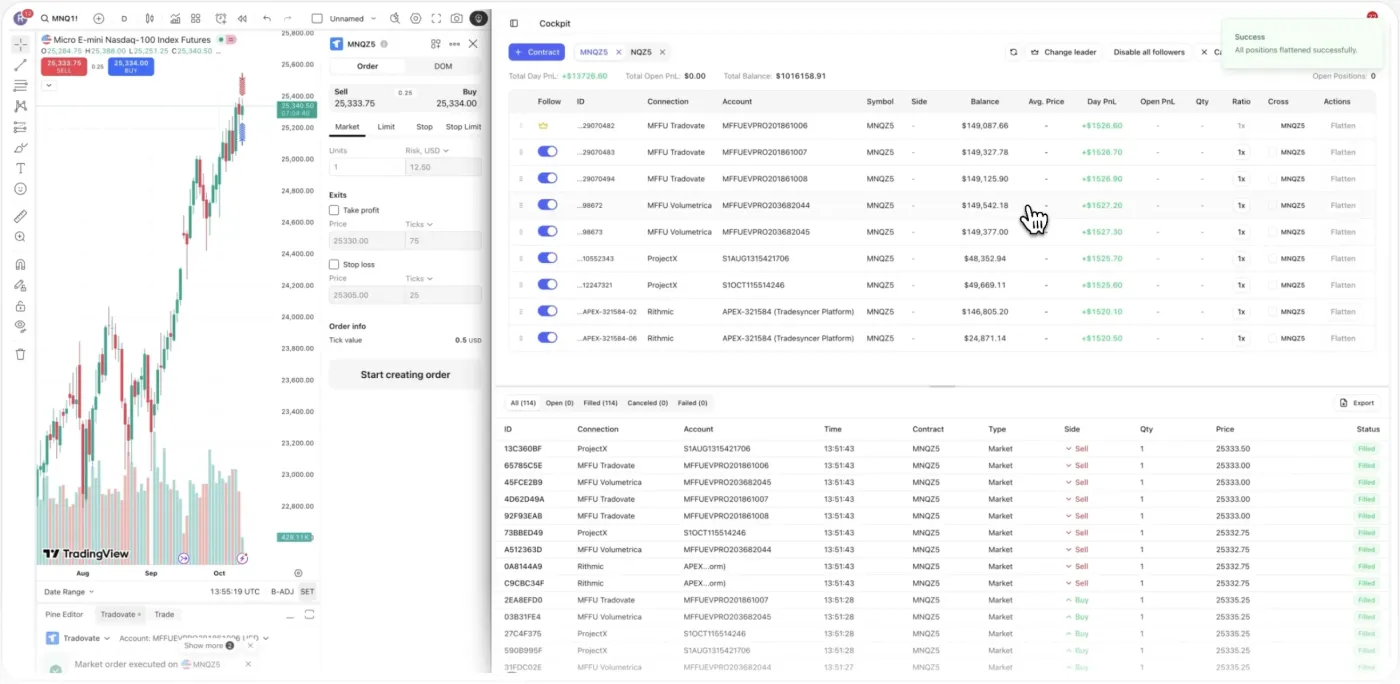
Daily loss limits, profit targets, and one-click lockouts across all your accounts.
Learn more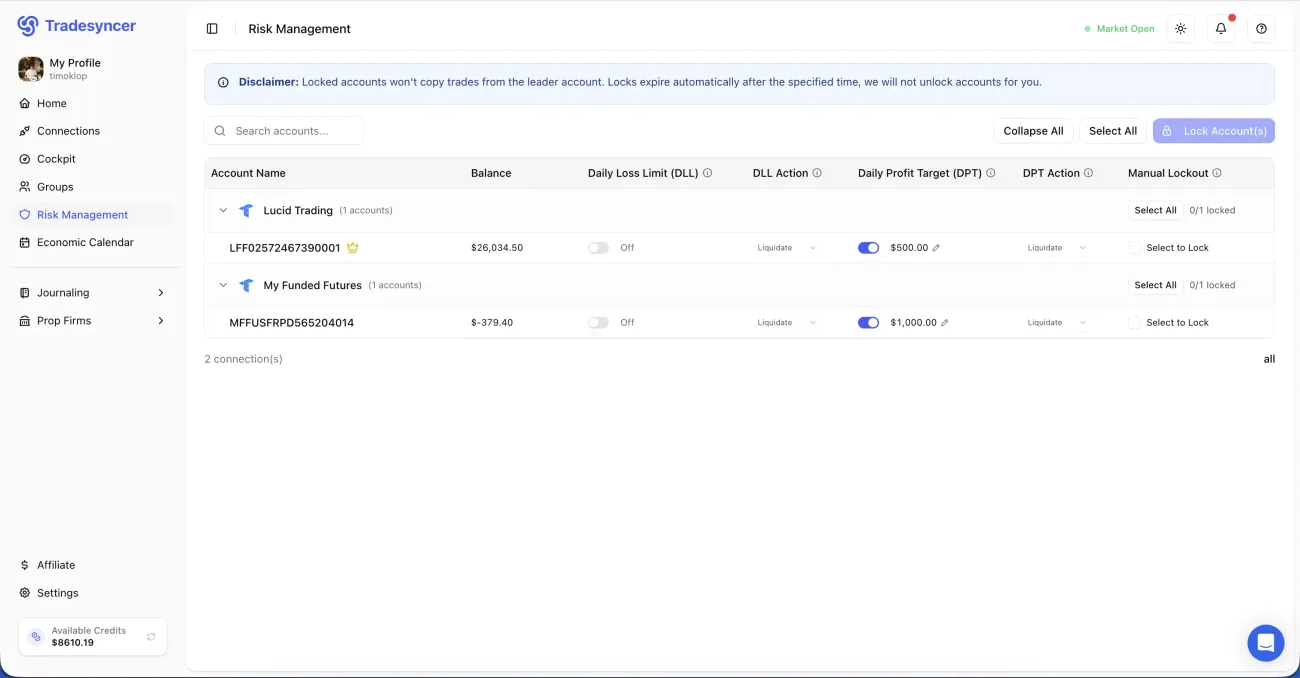
Every fill lands in your journal in one click, with P&L, R-multiples and tags attached.
Learn moreCopy across futures accounts with automatic micro-to-mini sizing, hold them with limits, and journal every fill. Try it free for 7 days, no charge until day 7.